
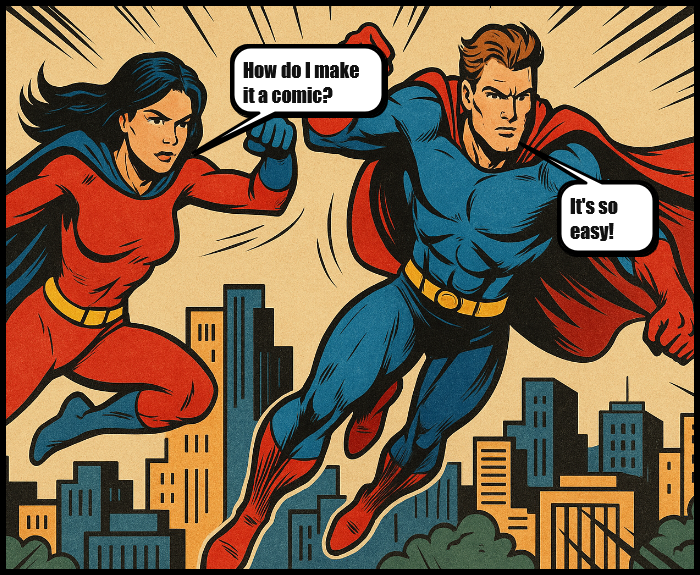
Comics have always been a fun way to tell stories. From superhero adventures to Sunday newspaper strips, they combine visuals and text in a way that’s both simple and powerful. But you don’t need expensive software or advanced design skills to make your own. Today, anyone can turn photos into a comic strip online in just a few clicks.
That’s exactly what our Comic Builder from Images is designed for. It’s a free comic maker from images that runs entirely in your browser — no downloads, no accounts, and no hidden steps. You can add speech bubbles, create panels, and even apply comic-style filters to your photos in minutes.
In this guide, we’ll walk through what the tool does, why you might use it, and tips for getting the best results.
Why Make Comics from Photos?
Comics aren’t just for professional artists. With the right tool, anyone can use photos as the foundation for a story. Here are a few common reasons people make comics online:
- Classroom projects – Teachers use comics to help students learn vocabulary, practice storytelling, or explore history in a more engaging way.
- Family fun – Parents and kids can turn vacation photos, birthday parties, or silly selfies into a funny comic strip for printing or scrapbooking.
- Content creation – Bloggers, YouTubers, and TikTok creators often need quick visuals. A comic strip is a unique way to stand out on social media.
- Memes and jokes – Adding a comic filter and a speech bubble to a selfie can instantly turn it into a meme.
- Storyboarding – Writers and filmmakers use comics to sketch scenes or story concepts without needing to draw.
In short: if you have a photo, you have the building block for a comic.
Step-by-Step: How to Turn Photos Into Comic Strips Online
Making your first comic with the Comic Builder is simple. Here’s how it works:
1. Upload Your Photo(s)
Start with a single image or create a strip of up to four panels. Just choose how many panels you want and upload your pictures.
2. Add Speech Bubbles
Click anywhere on the photo to add a bubble. You can choose from classic rounded bubbles, thought bubbles, or jagged “shout” bubbles. Drag to move, resize, and rotate them until they fit your story.
3. Type Your Text
Double-click inside the bubble to type. This could be dialogue, a thought, a sound effect (like BAM! or LOL!), or a caption.
4. Adjust the Style
Play with bubble shapes and fonts until you like how it looks. You can also use the optional comicify filter to give your photos bold outlines and vibrant colors, like they came straight from a graphic novel.
5. Export and Share
Once you’re happy, export the comic as a high-resolution PNG. You can print it, save it as a PDF through your browser, or share it online.
That’s it. No steep learning curve, no clunky software, just a free online comic builder that works in seconds.
Tips for Making Great Comics from Photos
Want your comic to really stand out? Here are some tips to get the most out of the tool:
- Keep text short and snappy. Long paragraphs don’t fit well inside bubbles. Aim for one or two sentences at most.
- Use expressions and actions. Choose photos where people’s faces or gestures are clear — they’ll carry the story better.
- Balance panels. If you’re making a 3- or 4-panel strip, think about how each panel moves the story forward. Setup → build → punchline works well.
- Play with filters. The comic effect filter can give your strip a unified style, even if the photos come from different sources.
- Think about print. If you want to hang it on the fridge or use it in class, leave some white space around text and images so it’s easy to read.
Examples of How You Could Use It
Here are a few scenarios where you might use our free comic maker from images:
- A teacher creates a three-panel comic where students add their own captions in class.
- A parent turns a family trip photo into a comic souvenir with funny speech bubbles.
- A student uses photos of historical figures and captions them with famous quotes for a school project.
- A YouTuber turns screenshots into a quick comic strip to announce a new video.
- Friends make a meme comic using group selfies and share it in their group chat.
Why Use an Online Comic Builder Instead of Photoshop?
Traditional tools like Photoshop or Illustrator are powerful, but they take time, skill, and usually money. Our Comic Builder is:
- Free – no sign-ups or subscriptions.
- Fast – you can make a strip in under five minutes.
- Accessible – works on desktop, tablet, or phone.
- Private – all processing happens in your browser, no uploads.
For most people, that’s exactly what they need: something quick, easy, and fun.
Start Building Your Comic Today
Making a comic strip doesn’t have to be complicated. With the Comic Builder from Images, you can take your favorite photos and transform them into a story in just a few clicks. Whether it’s for class, family fun, social media, or storytelling, this free online comic tool puts creativity at your fingertips.
So the next time you wonder how to make a comic from photos online, skip the complicated software and start building in your browser. All you need is an idea, a photo, and a bubble of text to bring it to life.